
90 days later — making sense amongst the chaos
TL;DR
A role-based learning and performance support GPT that helps people new to a role decide what deserves their attention, and when, during their first 90 days.
- My role
- Concept, prompt design, output structure, testing
- Tools
- Gemini Opal, structured system prompts
- Audience
- Anyone in the first 90 days of a new role
- Format
- Performance support, revisited over time
The problem
The first 90 days in a new role can feel chaotic, disorienting, and high-pressure. Everything feels important. You’re exposed to new systems, concepts, responsibilities, and unspoken expectations all at once. There’s so much information shared, you feel the pressure to get up to speed quickly and start showing value.
The goal
I wanted to explore whether a small, focused tool could help people new to a role decide where to put their attention in the first 90 days.
The idea was a lightweight, role-based assistant that lets someone input terms or concepts they’re encountering at work and get help deciding:
- Is this something I need to focus on now?
- Can this wait?
- How much energy should I realistically put into this at this stage?
More than explaining things, the goal was to create clarity and confidence — helping people feel less overwhelmed, avoid over-investing too early, and focus their effort where it would actually make a difference.
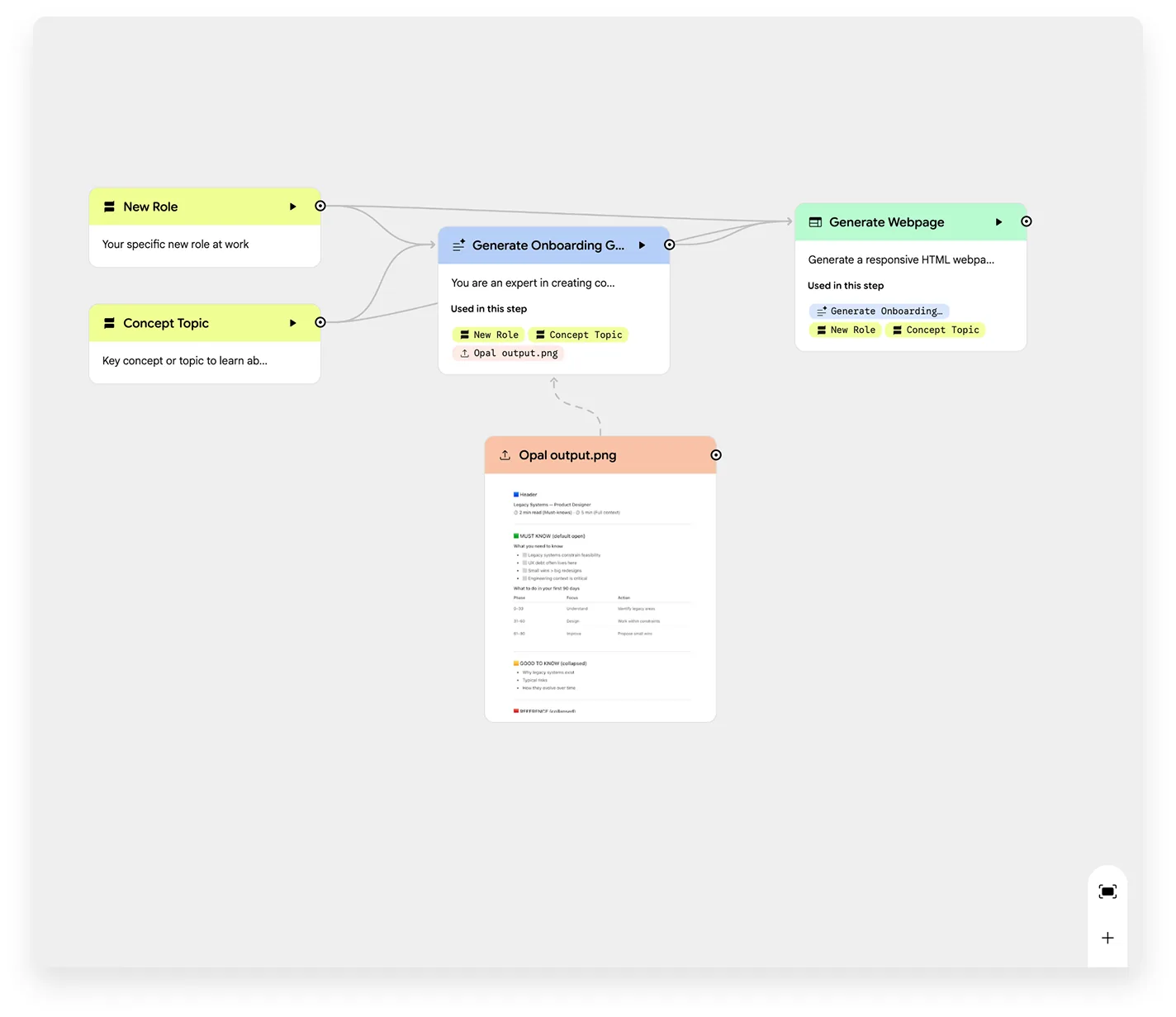
Process & tools
I started by asking the model to explain concepts someone new to a role might encounter. The content was accurate, but it behaved like a guide or reference — too much explanation, not enough prioritisation.
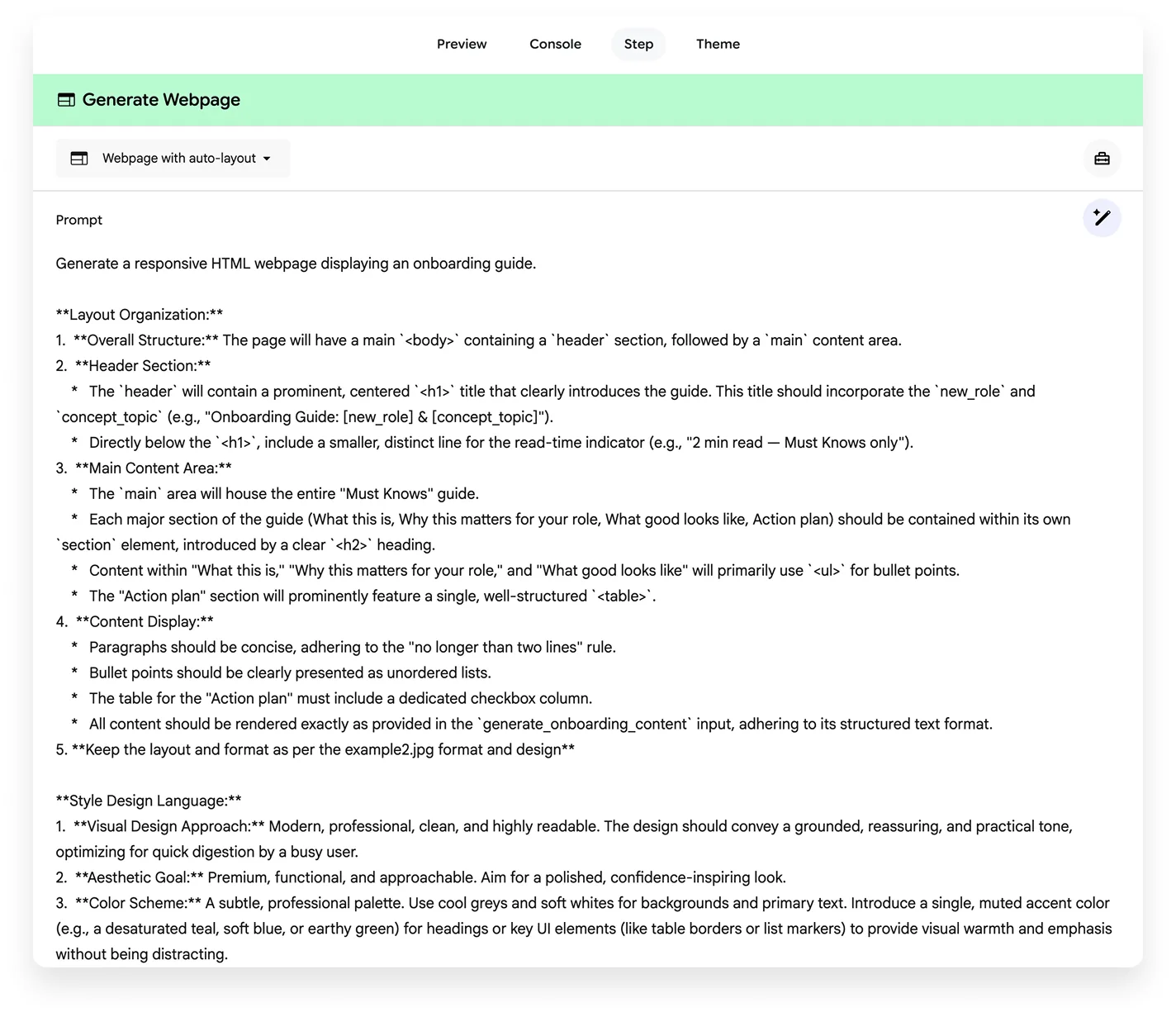
Instead of adding more information, I shifted the focus to shaping the output itself. I introduced strict structure and constraints so the system answered a different question:
How much attention should I give this, and when?
I built and tested 90 Days Later as a small, self-contained GPT using:
- a custom GPT setup (Opal)
- structured system prompts
- tight output constraints — short sections, tables, checklists
These constraints were intentional. They forced the model to prioritise clarity, skimmability, and action over completeness.
Iteration & prompt changes
I kept coming back to what I actually want when I’m new to something:
- Tell me if this is something I should worry about now or later
- Help me avoid over-investing energy too early
- Show me what “good enough for now” looks like
- Give me a clear plan I can follow
From there, I tightened the prompt with a few deliberate rules:
- Optimise for attention and prioritisation, not completeness
- Make everything skimmable
- Always include a clear 30 / 60 / 90 day view
- Use tables and checklists by default
- Make outputs easy to copy into existing tools
- Include context only as an optional layer
Each iteration reduced reading time and made the outputs more decisive. The goal shifted from understanding everything to knowing where to focus.
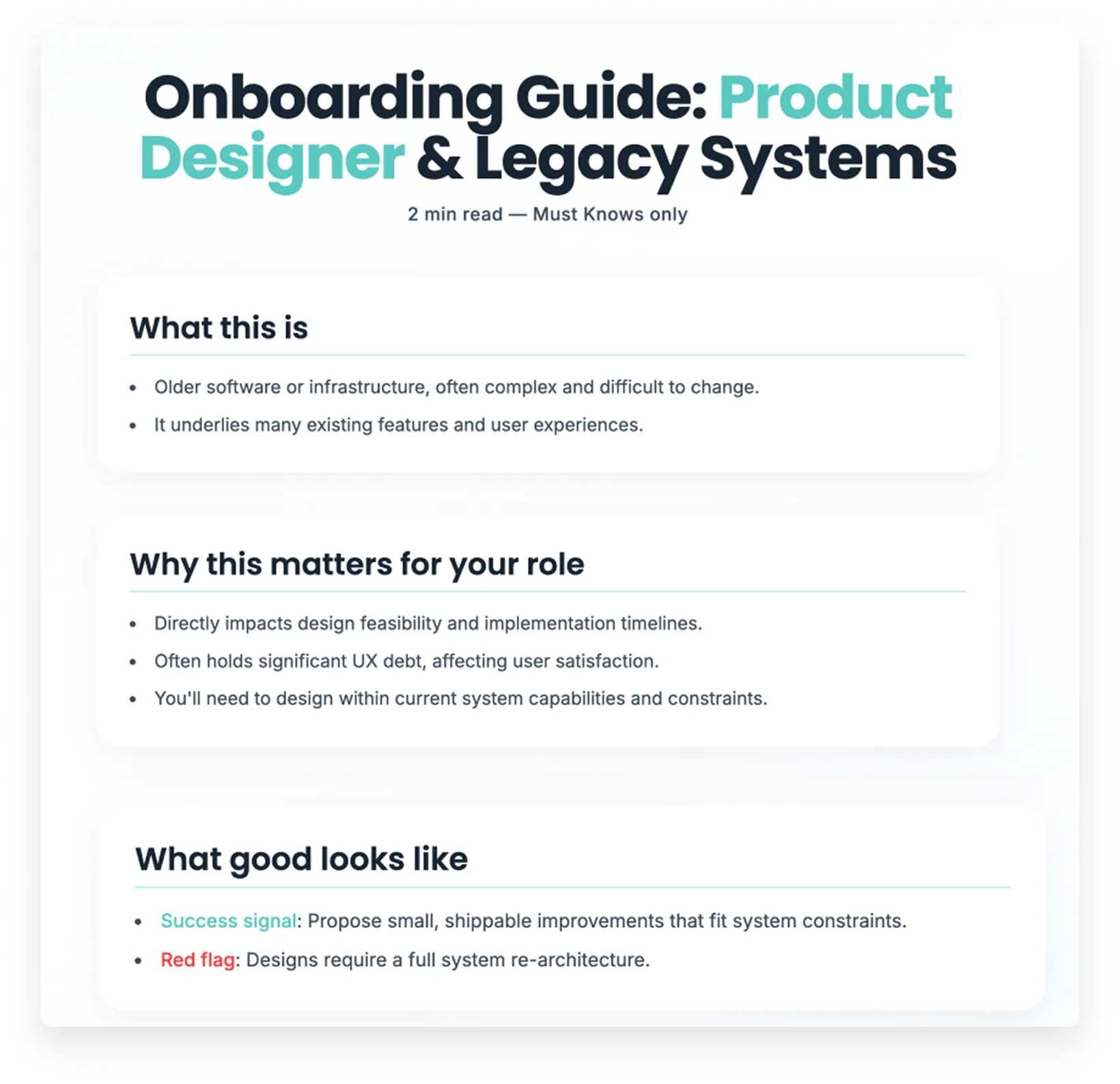
The result
The final version, 90 Days Later, produces short, role-based learning supports that help people understand:
- what something is
- why it exists
- why it matters for their role
- how much attention it deserves, and when to act on it
It’s designed to be revisited over time, not consumed all at once. It works across both technical and non-technical roles, and it doesn’t try to replace documentation or onboarding programmes. Instead, it acts as a sense-making layer that helps people calibrate their attention in the early stages of a role.
Next steps
Definitely more tweaking to do to ensure the output is useful — I’d want to test with a few users across various industries. Visual output consistency is the other open problem: in testing it has varied, and Opal seems to make up its own mind despite clear design direction.