
Ask better, design better: A scenario on clarifying briefs
TL;DR
After 10 years in UX/UI, I’ve learnt that the best designs don’t come from better tools, they come from better questions.
I built this scenario-based module in Storyline to help junior designers navigate the ‘messy middle’ of project briefs, using a decade of design experience to inform the narrative flow and feedback logic.
- My role
- Learning designer, visual designer, storyboarding & scripting, build
- Tools
- Articulate Storyline 360, Figma
- Learner
- Junior–mid designers, grads, career-switchers
- Delivery
- Self-paced; onboarding or just-in-time
The challenge
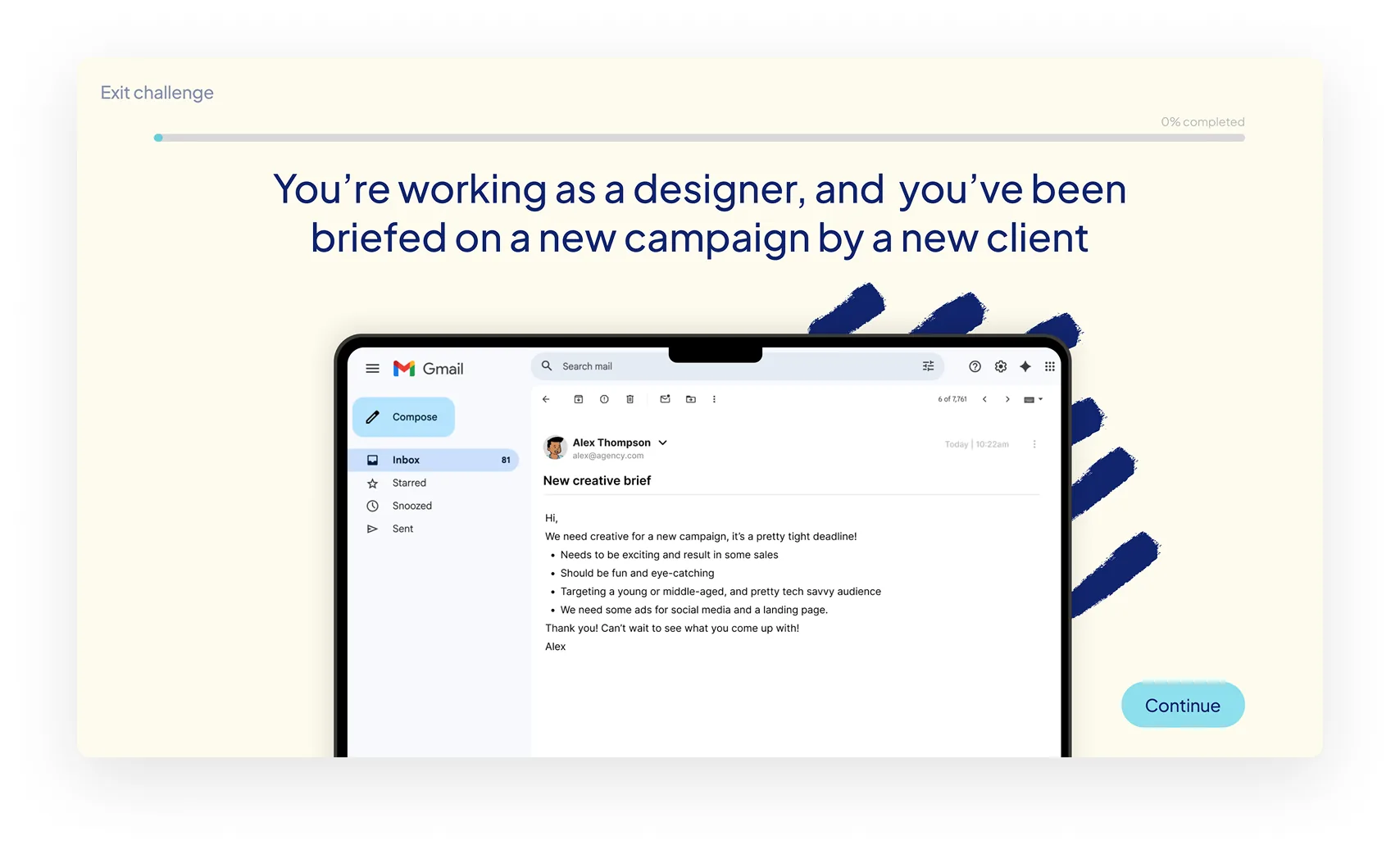
We’ve all been there: you’re handed a ‘brief’ that’s more of a vague suggestion than a plan. It’s a common pain point for (not only) junior designers, who often feel they have to say ‘yes’ to everything. I wanted to create a safe space where they could practice pushing back constructively, identifying risks, and finding their voice before they’re in the high-stakes environment of a real client meeting.
Learning goals
- Identify gaps in creative briefs that introduce delivery risk
- Select and prioritise clarifying questions based on project constraints
- Evaluate response options to mid-project scope changes
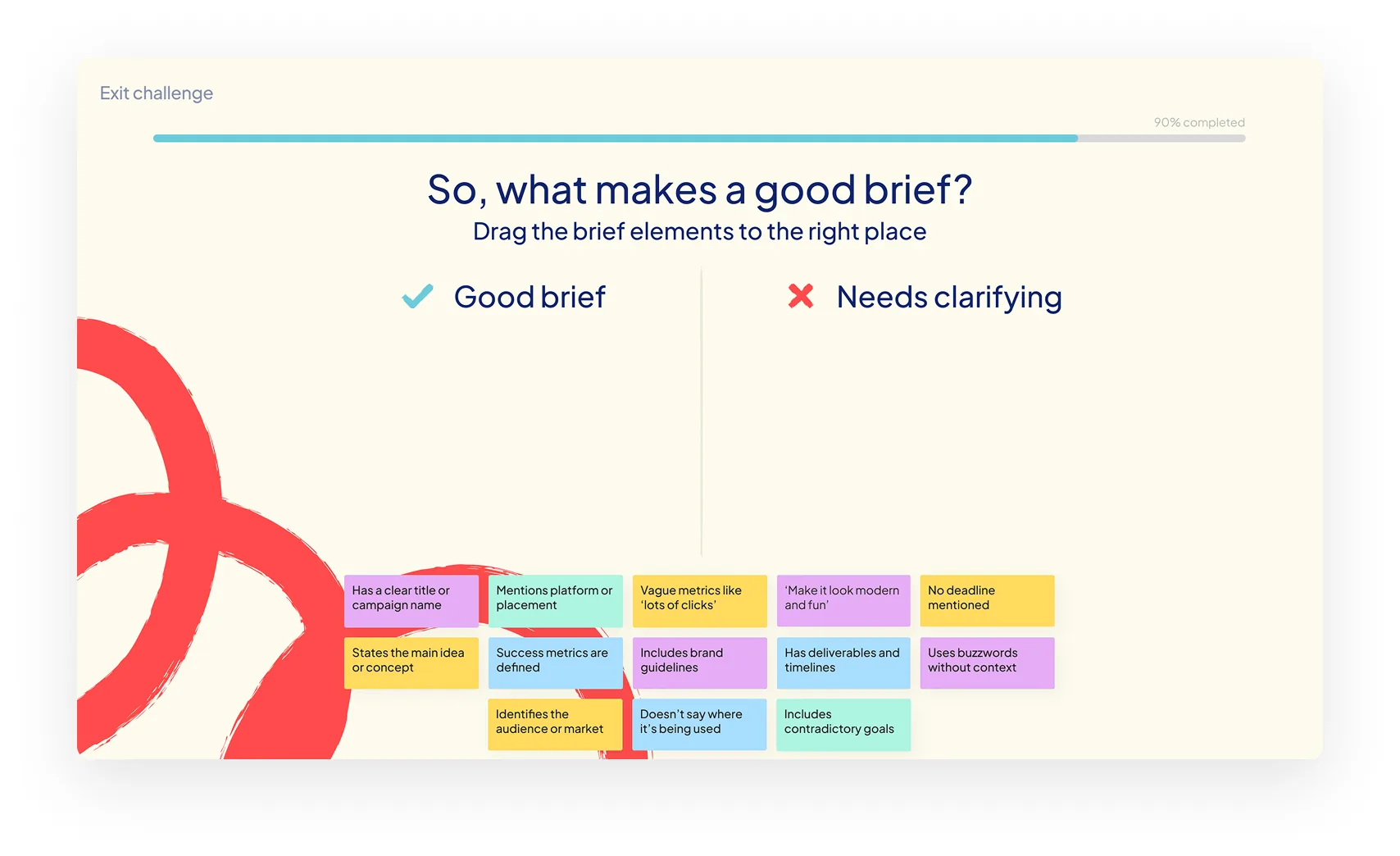
- Differentiate between usable vs ambiguous brief components
Success criteria
Success would be measured by learners selecting the correct clarification questions, avoiding reactive responses to scope change, and demonstrating improved brief evaluation in practice.
My role
This project draws on my UX background, applying user-centered design, interaction patterns, and usability principles to a learning context.
- Learning designer — scenario design, learning flow, feedback logic
- Visual designer — interaction design, visual hierarchy, accessibility
- Storyboarding & scripting — UX-informed narrative design
- Prototype — Articulate Storyline & Figma
Process
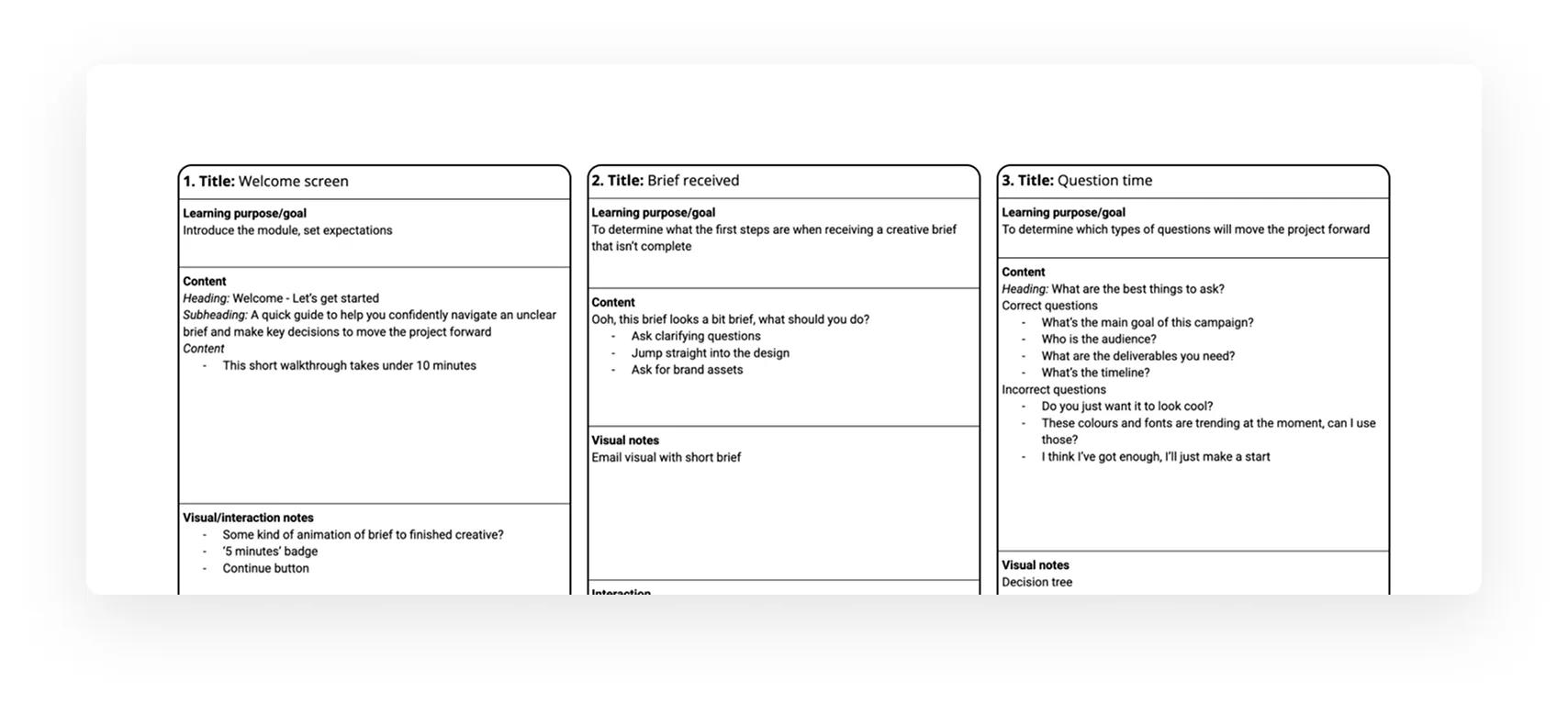
1. Storyboard + script
I mapped the learning flow in a storyboard. Each section aligned to a practical creative decision point, with interaction types to reinforce behaviour (e.g. multiple choice, checkbox, feedback layers, drag-and-drop).
Each interaction was designed to mirror real project conversations, reinforcing decision-making rather than recall.
2. Visual design
I illustrated a simple visual system to support clarity and a sense of play — hand-drawn textures, a minimal colour palette, and human-style figures to reflect the messiness of real creative work. I wanted the interface to feel like a sketchbook or a whiteboard, human and approachable rather than a stiff corporate portal.
3. Build + test
I built the prototype in Storyline 360, using layers for targeted feedback, grouped states for checkbox logic, and slide triggers for learner flow.
Interaction & logic design
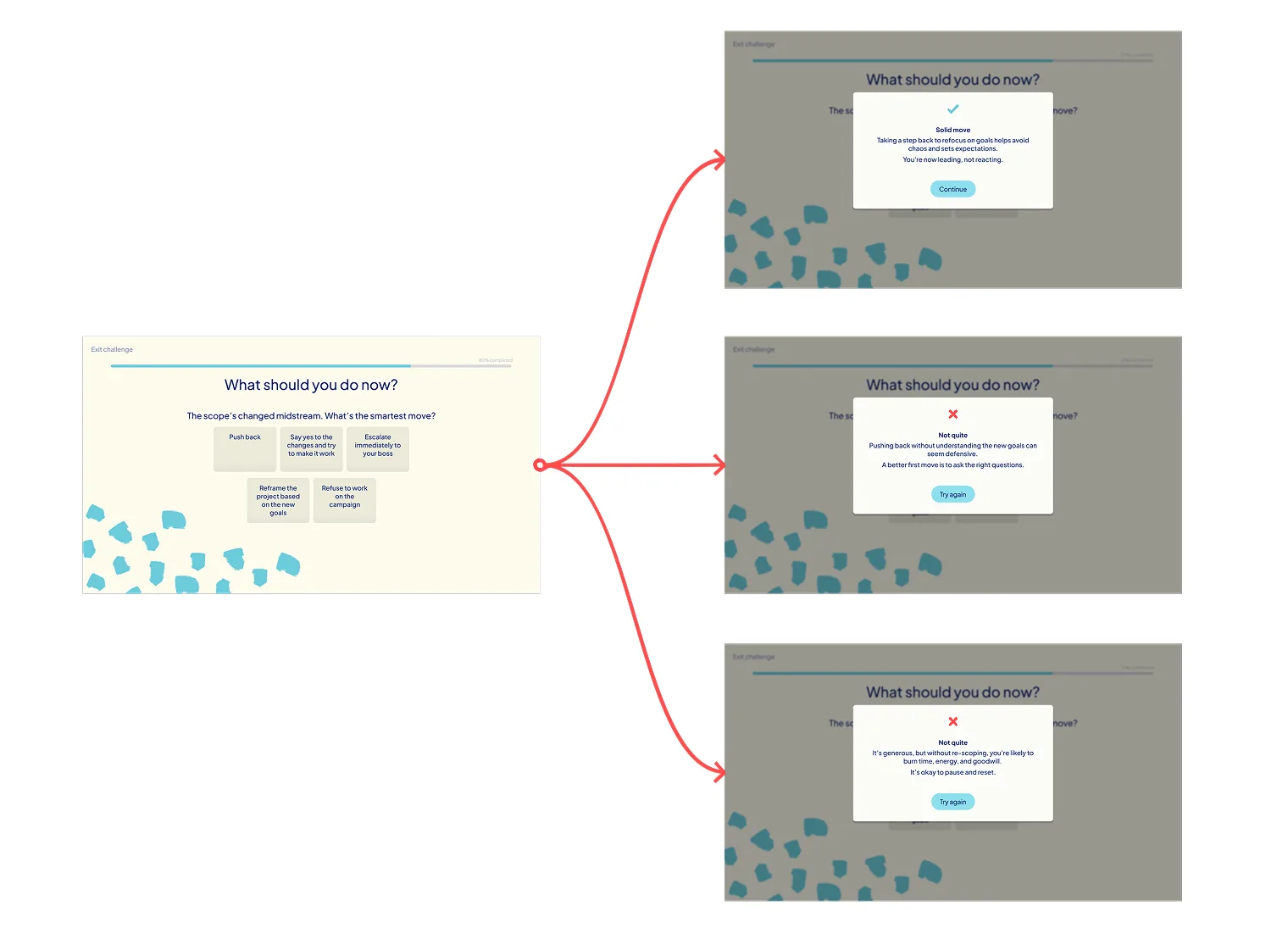
This scenario uses simple conditional logic to reflect how real creative brief conversations often unfold; messy, incomplete, and rarely binary. The interactions are designed to let learners follow their instincts first, then adapt feedback based on the quality of the decisions they make.
How the interaction works
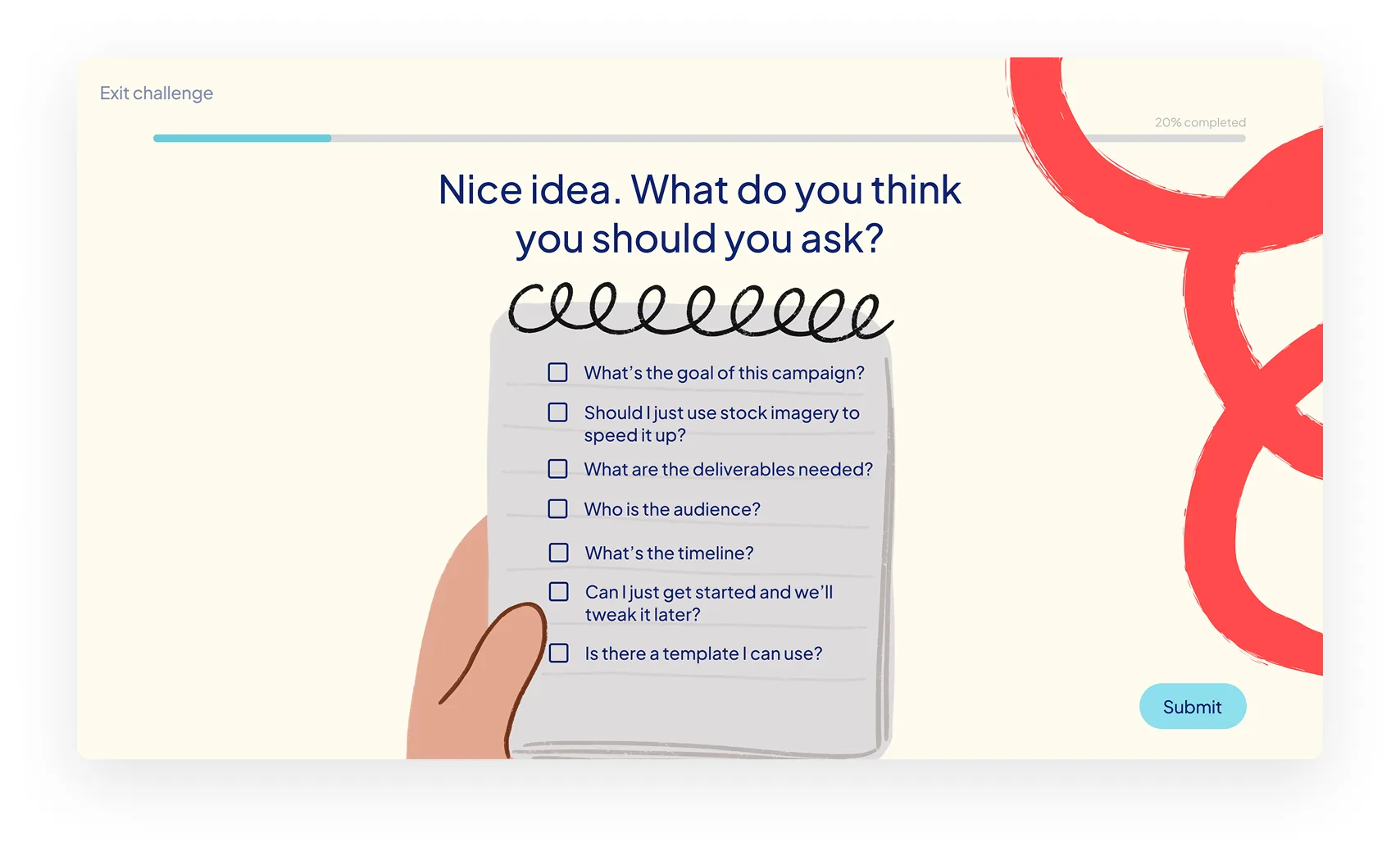
- A multi-select checkbox interaction mirrors an early discovery conversation with a client
- Learners choose which clarification questions they’d ask in that moment
- There isn’t a single “correct” choice — selections build an overall picture of how well the brief has been understood
Decision quality & feedback
Learner responses are grouped into outcome types rather than scored explicitly:
- Strong responses reflect strategic clarification and reframing
- Coaching responses show partial understanding but missed opportunities
- Ineffective responses highlight reactive or risky approaches
This allows feedback to focus on decision quality rather than right or wrong answers.
Behind-the-scenes logic
Life isn’t a multiple-choice test, so I didn’t want this to be one either. Behind the scenes, I used a clarity_score variable to track the quality of the learner’s curiosity.
Instead of “right/wrong,” the module gives you consequences, just like real life. If you don’t ask about the deadline now, it’ll come back to haunt you in the next scene.
Reflection & next steps
Building this was a lightbulb moment for me. I realised that my years of testing for edge cases in UX translates perfectly to building branching scenarios in LXD.
My next step? I’m itching to get this in front of some actual junior designers to see where they trip up. I’m a firm believer that design is never “done,” and I’m excited to keep iterating on how we teach the soft skills that make a hard job easier.